
Recording a track

Record a track with GPS — step by step.

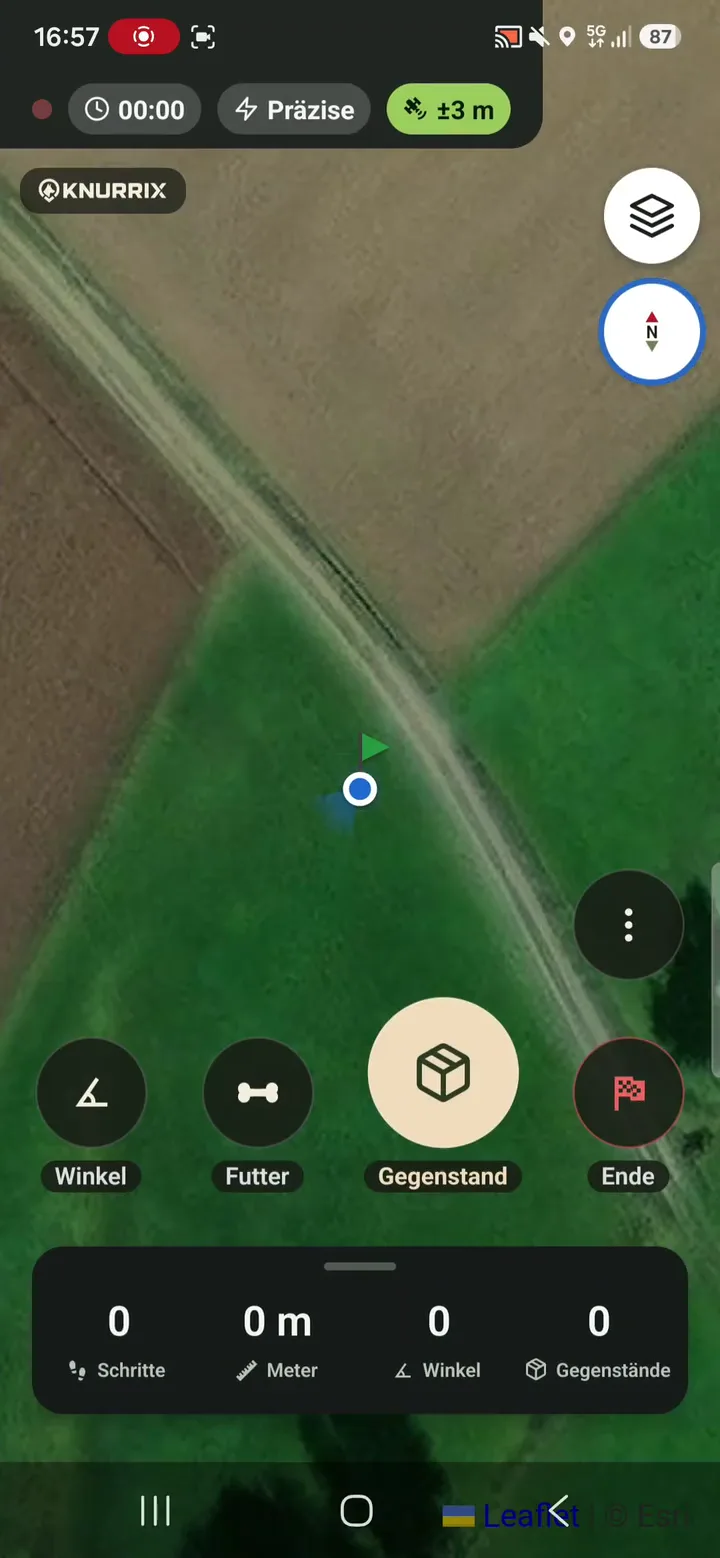
Out in the field, calm handling matters. Knurrix combines a live map with large controls and saves the track directly on your phone.

Live map with GPS qualityEvery GPS fix saved locallyPause and resume
S03Knurrix app screen S03
01

Arrive at the scent pad well prepared.

Choose the dog, track type and key conditions before you start. The GPS display helps you judge whether the signal is ready for recording.

  • IGP, IFH or free training track
  • Personal step length for conversion
  • GPS accuracy shown in plain language
02

Only a few actions while laying the track.

The map stays visible while Knurrix records your route. Essential actions provide audible feedback and can be corrected when needed.

  • Mark corners, articles and food drops
  • Audio feedback for field actions
  • Undo a marker, pause and resume
03

Keep the complete training record.

GPS fixes are saved locally as you go. After laying the track, add surface, weather, photos and notes.

  • Not dependent on temporary memory
  • Map and markers after completion
  • Add and refine training details later

Frequently asked questions

Good to know.

Can I record without mobile reception?

Yes. The track and its GPS fixes are stored locally first. They are mirrored to the Knurrix server when a connection is available again.

Can I interrupt a recording?

Yes. Knurrix supports pause and resume without turning one track into two separate records.

Does Knurrix replace precision surveying equipment?

No. The app shows current GPS accuracy transparently, but accuracy still depends on the phone, reception and terrain.

Help shape Knurrix

Do you train in IGP or IFH?

We would value your honest experience from the field. Register your interest for news and future testing rounds – with no obligation.

Discover the beta